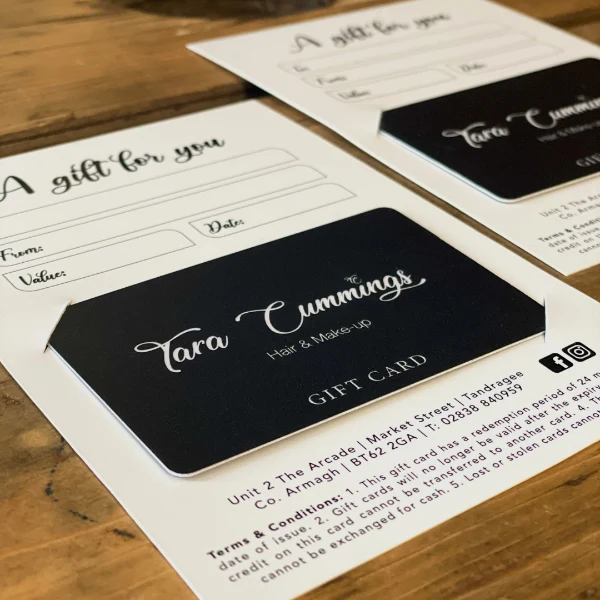
Printing gift cards for a business involves more than choosing artwork and placing an order. Before the design is even started, the redemption system has to be in place. Gift card printing touches the POS setup, activation workflow, barcode or stripe format, card material, security features, and everything in between. Getting those decisions right before printing saves time, money, and the frustration of cards that cannot be scanned, loaded, or redeemed.
1. Start With the Redemption System
The redemption system determines all other decisions. Before selecting a card format, material, or encoding method, confirm the following:
- The process for purchasing and activating cards
- The redemption channel: POS software, online checkout, manual entry, or a third-party gift card platform
- If customers will need balance checks, partial redemptions, reloads, or refunds
Cards printed before you verify the technical requirements may be incompatible with the system. The POS provider is the right starting point, and its specifications should drive all subsequent printing decisions.
2. Choose Paper or Plastic Gift Cards
The material choice affects durability, cost, encoding options, and the impression the card makes.
Paper or Cardstock
Paper cards cost less and work for short campaigns, high-volume promotions, or simple manual-entry systems. The trade-off is durability: paper cards are more vulnerable to moisture, tearing, and repeated handling, which limits their usefulness for programs where customers carry and reuse the card regularly.
Plastic
Plastic cards handle daily wallet use far better. They support barcodes, QR codes, magnetic stripes, and other encoding features, and they project a more professional image across retail, restaurants, salons, and service businesses. The cost per card is higher, and businesses with sustainability priorities may also factor in recycling considerations.
3. Select the Card Size and Format
Standard wallet-sized CR80 cards are the most practical format for most programs. Customers can store them easily, and they fit standard card sleeves, packaging, and POS readers without modification. Confirm the printer’s exact requirements for dimensions, thickness, corner radius, and bleed before finalizing artwork. Specialty formats add cost and may create friction at redemption. Think through if the card will be sold individually, placed in envelopes, attached to carriers, or displayed on racks, then confirm the chosen format works for all those use cases before committing.
4. Choose Barcode, QR Code, or Magnetic Stripe
The encoding method has to match what the POS system actually supports. Four options are common across business gift card programs.
Barcodes
Barcodes print directly as part of the card artwork, making them the most affordable and widely compatible option. The format, contrast, size, and quiet zone all need to match what the scanner expects, but for most modern POS systems, barcodes are the straightforward starting point.
QR codes
QR Codes suit programs where customers will check balances or redeem cards through a smartphone. They work well alongside mobile-friendly redemption flows, but the code needs to be large enough to scan reliably and placed on a clean, low-gloss background.
Magnetic stripes
They are compatible with legacy POS systems that use swipe readers. They require a plastic card and a separate encoding process, and they only make sense when the existing hardware actually supports them. Choosing a magnetic stripe because competitors use one, rather than because the system reads it, leads to cards that cannot be processed.
Printed numbers or PINs
PINs work for simple manual-entry systems where technical complexity is a concern. Processing is slower, and entry errors are more common, but the format carries no encoding requirements and suits low-volume programs.
Confirm the specific format with the POS provider before ordering anything.
5. Design the Front and Back of the Gift Card
The front carries the brand. The business logo, name, colors, and visual identity should appear consistently. State the card’s purpose clearly using language like “Gift Card,” and keep the design versatile enough to work across birthdays, holidays, and everyday purchases without overcrowding the front face.
The back carries the functional information. Work through it in order:
- Add clear redemption instructions in readable type
- Include website, store address, phone number, and customer service contact
- Place the barcode, QR code, magnetic stripe, card number, or PIN with adequate clear space
- Include terms, expiration information where legally permitted, and balance-check instructions
- Keep small text readable and place codes only on clean, low-gloss backgrounds
6. Add Security Features
Gift card fraud carries real financial risk. Security decisions fall into two areas.
Card-Level Protection
Unique card numbers linked to individual accounts are the baseline. PINs under scratch-off panels prevent unauthorized use before purchase, and encoding tied to a specific account means a stolen number alone cannot be processed.
Packaging and Physical Security
Tamper-evident labels or packaging that interferes with visible protection of cards on the shelf. Higher-value programs may benefit from holograms, microtext, or UV features that are difficult to replicate. Match the security level to the fraud risk and total program value.
7. Prepare Print-Ready Artwork and Test the Card
Artwork errors cause delays and reprints. Use the printer’s required dimensions, bleed, safe area, and file format, and supply logos at the specified resolution. Barcodes and QR codes need strong contrast and a clear quiet zone. Keep important text away from edges, rounded corners, stripes, and scratch-off areas.
Once physical proofs arrive, run through testing before approving production:
- Scan barcodes with the actual POS equipment
- Test QR codes on multiple phones
- Swipe magnetic-stripe cards through the intended reader
- Confirm activation, redemption, balance checking, and partial payment all work correctly
- Confirm printed data matches the software database
Approving production without physical testing risks printing an entire batch of unusable cards.
8. Determine Quantity and Plan Inventory
Start with an honest estimate of demand based on sales history, seasonal peaks, replacements, and employee use. Unit prices drop at higher volumes, but overprinting carries its own risk if branding, terms, or software may change before inventory runs out. Factor in setup, encoding, packaging, and shipping costs alongside the base card price before comparing options. A smaller first run with the option to reorder is a safer approach for a program still in its first run.
On the inventory side, define when a card becomes active and restrict access to card data to authorized personnel. Train employees on verification and redemption procedures before launch. Establish clear steps for lost, stolen, damaged, or fraudulent cards before those situations arise rather than after.
Choose the Right Gift Card Printer
Experts like Duracard print custom gift card runs from low minimums up, with barcode and magnetic stripe encoding tested on over 200 point-of-sale systems. Confirm any printer can produce the selected material, size, finish, and encoding format, and that variable data, activation files, and packaging are all available. Physical proofs before full production are a sign of a capable partner. Get clarity on minimum quantity, production time, setup costs, and reprint policies before committing.
Common Gift Card Printing Mistakes
- Printing before confirming POS compatibility
- Using a barcode format the scanner cannot read
- Making a QR code too small or placing it on a glossy background
- Leaving out redemption terms or balance-check details
- Ordering a large run before testing the program in the actual system
- Failing to secure inactive inventory
- Skipping a physical proof before production
FAQs
What information should be printed on a business gift card?
The front carries the business logo, name, and a label identifying it as a gift card. The back carries redemption instructions, terms, expiration information where applicable, customer service contact details, and the barcode, QR code, card number, or PIN needed for redemption.
Is paper or plastic better for gift cards?
Paper cards cost less and suit simple or short-term programs. Plastic cards are more durable, support a wider range of encoding options, and present better for programs where the card will be carried and reused. The right choice depends on redemption system requirements, program duration, and budget.
Should a gift card use a barcode or magnetic stripe?
The encoding method should match what the POS system actually supports. Barcodes print directly with the artwork and work with most modern POS systems. Magnetic stripes require plastic cards and a separate encoding process, and are only useful if the system has swipe readers. Confirm with the POS provider before printing.
Takeaway
Successful gift card printing starts with the redemption system and works outward from there. Card format, material, encoding method, design, security, and quantity all follow from what the POS or gift card platform actually requires. Testing before a full run and securing inventory before launch are the two steps most often skipped, and both are where programs tend to fail.
Gift cards only work as a business tool when the card, the system, and the customer experience align. Duracard has spent years getting that alignment right for businesses across the country. The team handles the encoding specifications, artwork setup, and production details that trip up first-time orders, so the cards arrive ready to scan and load from day one. For programs that need a small number of cards to test the concept or 5,000 to stock a retail location, the order can be placed at duracard.com.